UI Design / User Experience
Tax Credit Survey
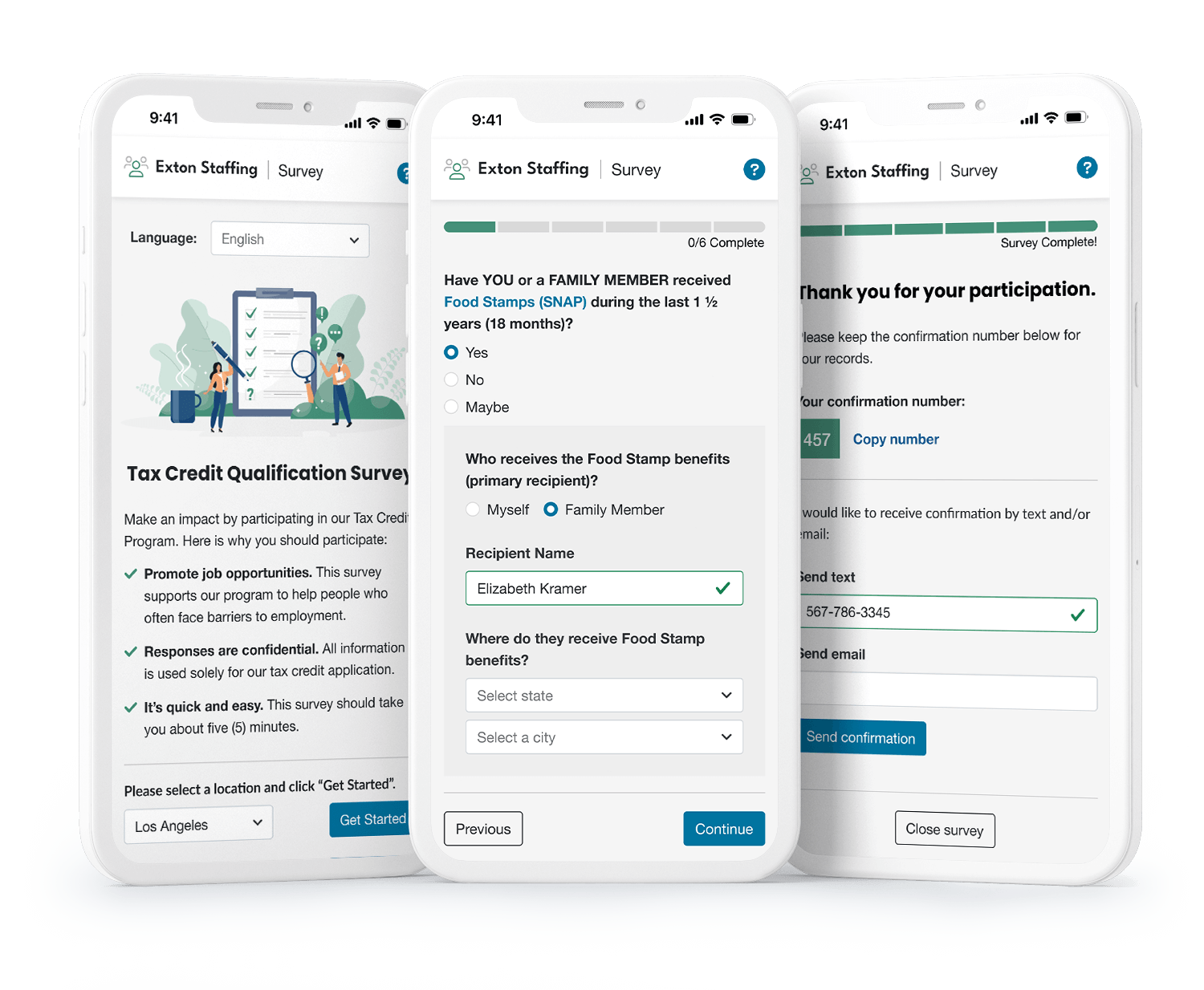
Making a new-hire survey clearer, kinder, and easier to complete—while helping employers discover tax credits that support job opportunities.
Overview
Promoting job opportunities
I worked with a specialty accounting company to redesign their new hire survey. This tool is used by their clients during the employee onboarding to discover whether new hires qualify for a variety of Federal, State, and regional tax credit programs. These programs help create opportunities for populations that face employment barriers by providing tax savings to employers. The goals for this project included to:
- Improve customer experience
- Update survey to support a positive onboarding experience
- Decrease maintenance costs
- Reduce customer support hours associated with survey
- Increase survey completion rates
- Remove any barriers to survey completion
- Streamline survey creation
- Simplify set up while supporting multiple surveys
- Work Opportunity Tax Credits were issued in the US in 2021
- 2,081,474
- Potential total monetary value of 2021’s tax credits in US
- 5 billion

Process
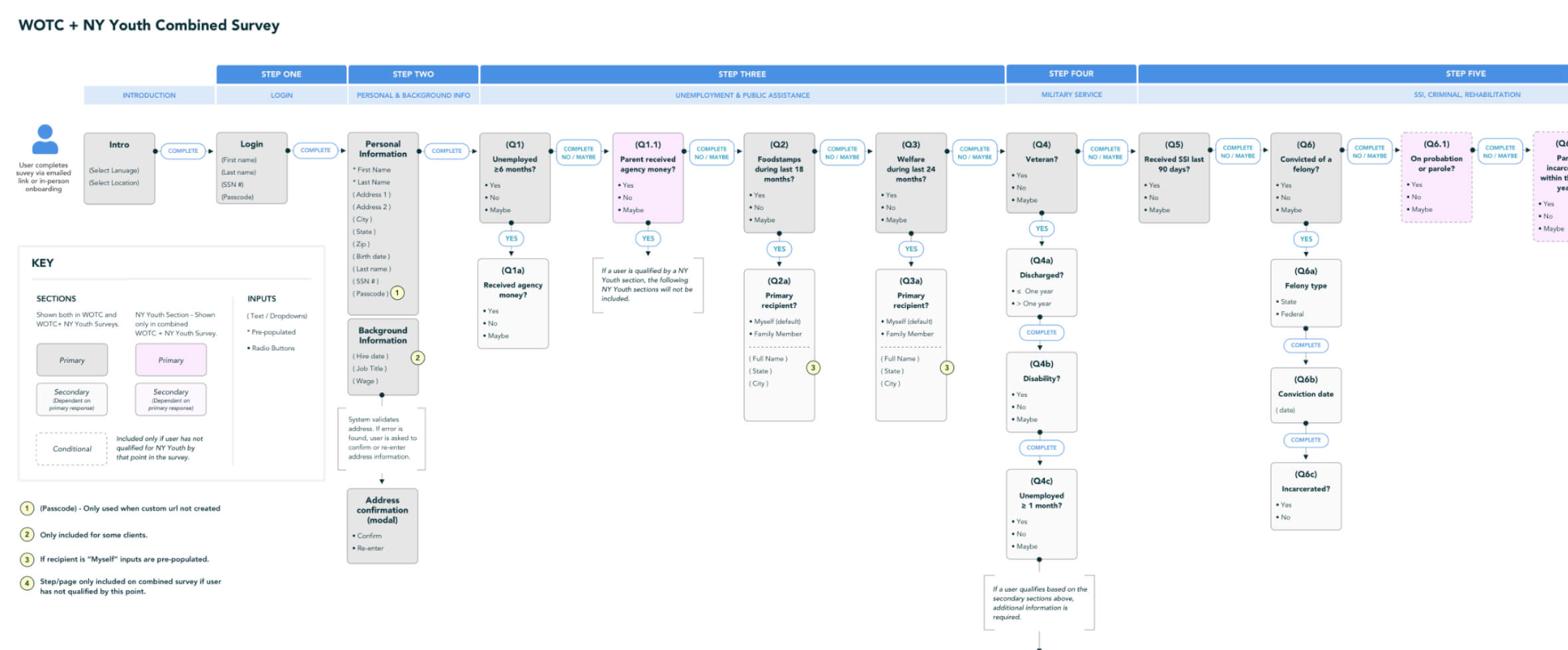
Mapping the survey
I led workshops with subject matter experts to understand how tax credit surveys are being used within different industries and settings, and documented challenges shared by the Tax Program and Support teams.
I collaborated with the team to discover the most efficient way to structure survey content, so that one survey could serve multiple programs while containing as few steps as possible.
With the information I gathered, I created multiple user flows, wireframes, and finally high fidelity prototypes that were used to test and refine the final design.
Insights
Key takeaways
Below are some of the key insights from the discovery process.
- Onboarding scenarios vary
- New hires may receive a link, an email or be asked to complete the survey onsite
- Lack of understanding
- Most participants did not know the purpose of the survey
- Sensitive information
- Respondents may be hesitant to share personal information
- Support cost
- Support contact was common for lost confirmation numbers
- Participation is voluntary
- Yet, it can result in significant tax savings for employers
- Program complexity
- Eligibility is assessed across multiple Federal, State, and local programs
- Long and tedious
- Ten separate sections which were not relevant for most users
- Dated, not usable design
- The design was outdated, impersonal, and did not support viewing on mobile
Solutions
Simplified, Flexible User Flows
The new user flows reduced the length of the survey for most participants from 10 to 6 steps while accommodating multiple programs in one survey. Only those questions that were necessary to determine eligibility were presented. Once a new hire qualified for a program, no additional information was requested.
Improved UX & Visual Design
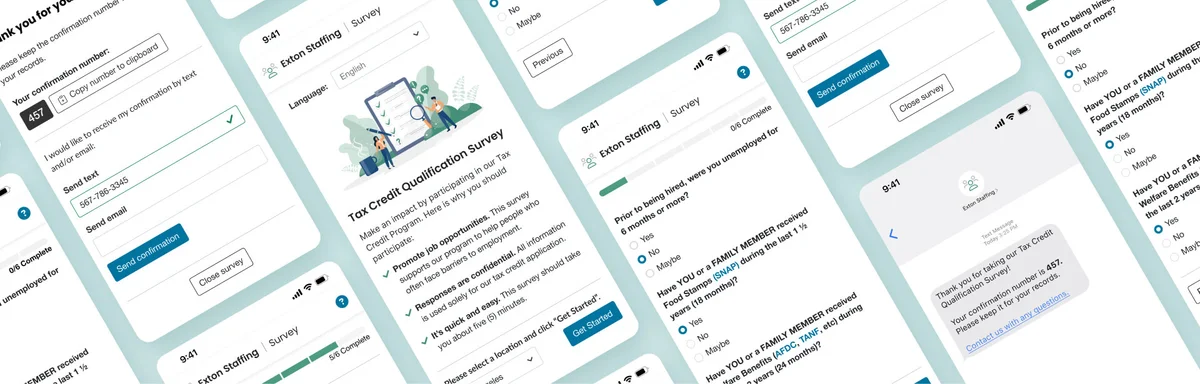
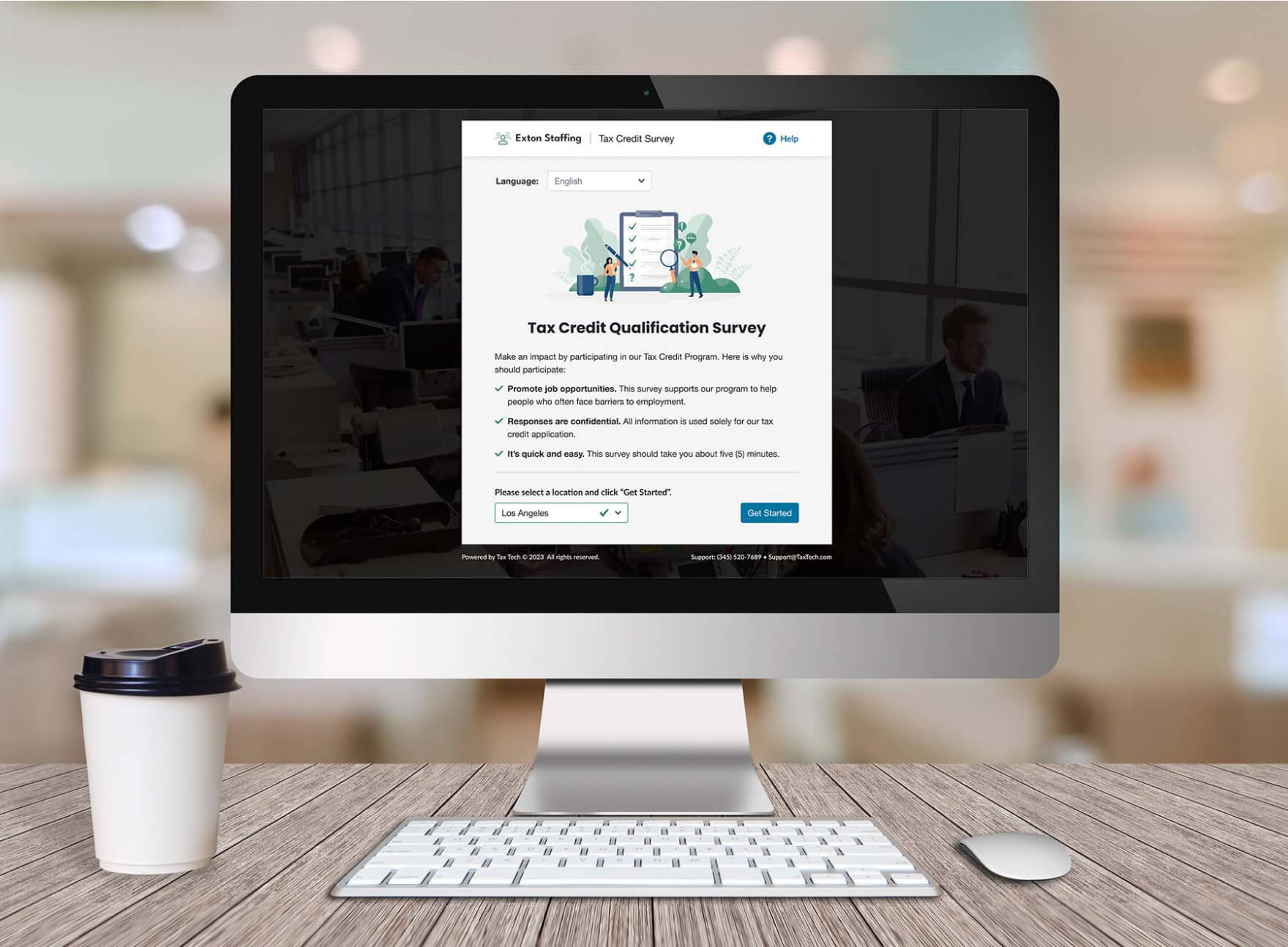
The updated survey was optimized to work across desktop, tablet, and mobile devices to accommodate the various settings in which employee participation was requested – whether onsite during initial onboarding or via link or email.
- Clear, Relevant Language
- The introductory text was shortened to answer key user concerns and highlight the benefit of tax incentive programs in simple, welcoming language.
- Enhanced Support & Feedback
- Improved access to language selection, support, inline tooltips and enhanced form validation.
- Sensitive Information Deferred
- Confidentiality concerns were clearly addressed. Sensitive questions were deferred to the end of the survey or omitted if possible.
- Additional Confirmation Options
- Users were offered multiple ways to save their confirmation number – including via text.